Theta is taking a major step forward in giving people control of their health data. We’re excited to announce that Theta now integrates directly with healthcare providers using Epic and Oracle Health/ Cerner EHRs—making it easier than ever to securely connect, organize, and understand your clinical records in one place.
Over 70% of healthcare providers across the U.S., and most major health systems, run on Epic ( known as MyChart for patient portals) and Oracle Health (Cerner) EHR systems. With this new integration, Theta Wellness App can now connect directly to participating provider systems—no PDFs, no manual uploads, no waiting for records to be emailed.
That means:
- Faster access to your clinical data
- A more complete, longitudinal health timeline
- Secure, HIPAA-compliant connections end-to-end
How to Connect Your Provider in the Theta App
Connecting your health system now takes even fewer taps compared to going through Apple Health ( See our earlier guide here). Here’s how it works inside the app:
Step 0: Open theTheta Wellness in the list of apps, or download it here.
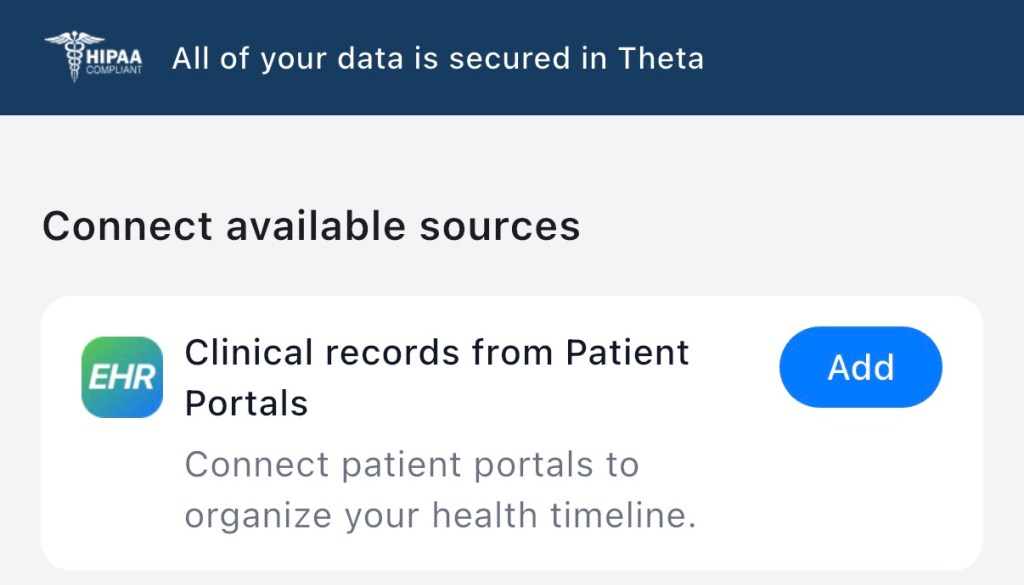
Step 1: Go to Me – Linked data sources and select Clinical records from Patient Portals.
Step 2: Search for Your Provider. In the example below, we’re searching for Kaiser Permanente, which uses Epic across many regions.
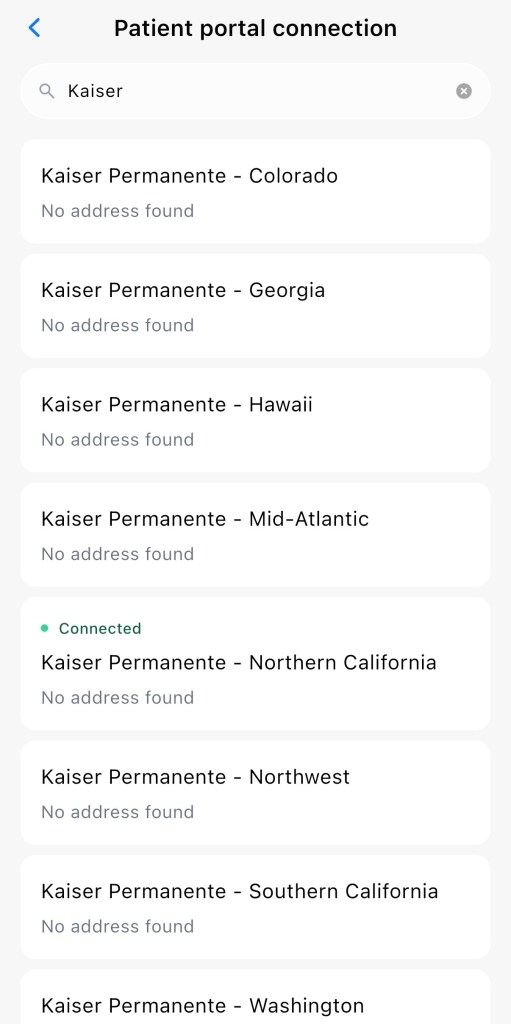
Step 3: Sign In & Connect. Choose your provider, sign in with your existing patient portal credentials, and authorize the connection.
That’s it! Now, your medical records are connected to Theta, making them ready to be used alongside all your other health data!
 Theta Wellness health blog